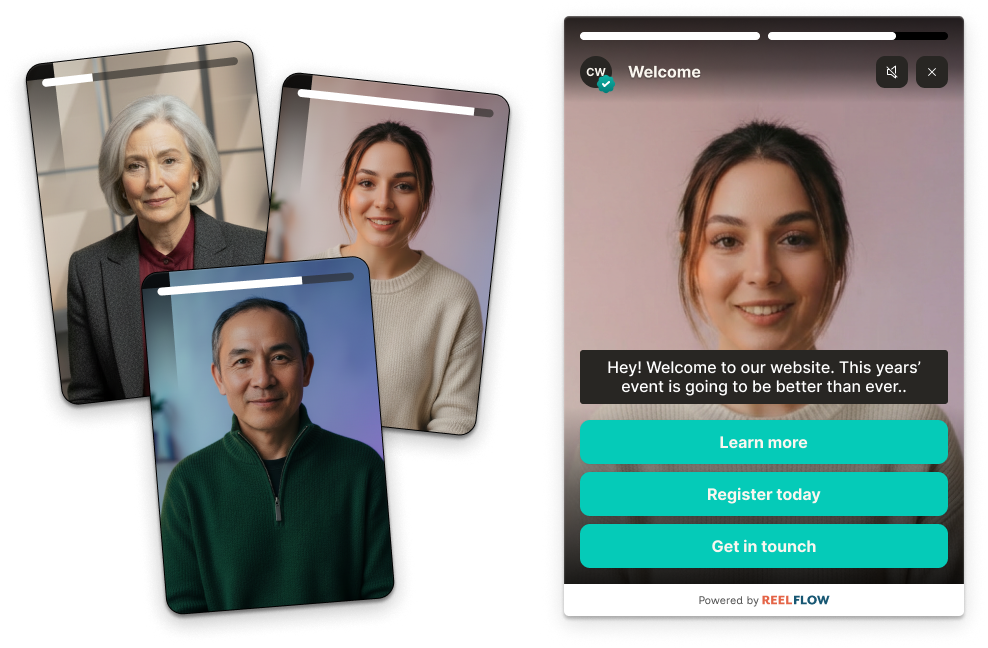


Think back to the last real shift in how buyers found you.
For years the model was simple. A buyer had a problem, called a few suppliers, and let a salesperson walk them through the options. Most of the deciding happened in conversations.
That has quietly stopped being true. Today around 81% of buyers complete most of their research before speaking to sales (6sense 2024). By the time a buyer fills in a form, they have usually already formed a view – often a preferred vendor – from your website alone.
So the question most marketing and revenue teams are asking has moved on. It is no longer "should we put video on our website?" – 87% of B2B buyers say video influences their purchasing decisions (Wyzowl, State of Video Marketing 2025), and the case is settled. The question now is: which type of platform actually helps our website do the work a salesperson used to do?
That is a harder question than it looks, because the tools in this space were built for very different jobs. Some record quick screen shares. Some host and manage video libraries. Some generate AI presenters. Some add clickable video to a Shopify product page. Only a few are built to guide a B2B buyer through a website. This guide is here to help you tell them apart and choose based on the outcome you want, not the feature list.
Interactive video as a website layer
Interactive video is not another content format to add to the pile. It is a layer that sits on top of your existing website and changes what a visit does – turning passive reading into a guided, self-directed journey where the visitor chooses what to watch, skips what is not relevant, and moves towards an action.
Why interactive video belongs on your website in 2026
The average B2B website is built for the small fraction of visitors who are ready to act. Forms and chatbots serve the 1–2% ready to book a call and quietly push everyone else away. But the people who leave without converting are not bad leads. They are researchers, doing exactly what modern buyers do: reading, comparing, and forming a preference on their own terms.
Two things make video the right way to reach them. First, people take in far more from watching than from reading – buyers retain around 95% of a message from video against roughly 10% from text. Second, in a web now flooded with AI-generated content, a real human face is one of the few trust signals left that a buyer can rely on. Human presence builds credibility faster than any block of copy.
Interactive video puts those two things together and adds a third: control. Rather than watching a single linear clip, the visitor decides where to go next. That is the difference between a video on your website and a website that works through video.
What is the difference between the video tools on the market?
Not every video tool does the same job, and most buyer confusion comes from comparing tools that were never meant to be compared. The main categories:
- Screen recording and messaging tools: Record a quick selfie or screen video to send in an email or a Slack message. Built for one-to-one outreach and internal communication.
- Video hosting and marketing platforms: Store, manage, brand and embed your video content in tidy libraries, with hosting-grade analytics. Built for hosting, not interaction.
- AI avatar and synthetic video generators: Turn a script into a video presented by a stock or cloned avatar. Built for producing content at volume, not for what happens once that content is on your site.
- Lightweight and e-commerce interactive video: Add clickable, branching or shoppable video, most often to a product page. Built for retail conversion rather than considered B2B buying journeys.
- Purpose-built interactive video for B2B websites: Plan, create, publish and measure guided video journeys designed for the way B2B buyers research across multiple pages. Built for the website as a whole, not a single clip or a single page.
The distinction that matters most is inbox versus website. A messaging tool helps a rep send one buyer a video. A website platform helps every anonymous visitor guide themselves. Teams serious about their website need the second, and often mistakenly buy the first.
How to choose the right interactive video platform
We would encourage you to start from the outcome you want and work backwards to the features – not the other way around. Begin with what your website should achieve, then judge each tool on how well it gets you there.
Define what you want your website to do first
Be specific about the job. Most teams are trying to improve one of these:
- Engagement and understanding: Helping visitors grasp a complex product or service quickly, so they stay, explore, and come back rather than bouncing.
- Trust before contact: Letting anonymous researchers see and hear from real people, so they arrive at the first conversation already warm.
- Conversion on high-value pages: Moving more visitors to the action that matters – a demo, a sign-up, a registration – from pages that currently underperform.
Pick the one that is costing you most today. That decision shapes everything that follows.
Look at where the video actually goes on your site
A platform is only useful if it fits your website without a rebuild. Two questions tell you most of what you need to know.
First, how does it deploy? The best tools install with a single line of code and offer both an overlay player – a guided experience that appears over the page on load, scroll or click – and an inline player that sits naturally within the page layout. Overlay is for high-impact moments on key pages; inline is for enhancing content the visitor is already reading.
Second, does it work across your whole site or just one page? A messaging tool or a shoppable-video widget lives on a single page. A website platform should let you build different journeys for your homepage, product pages, pricing page and campaign landing pages, and update any of them without raising a developer ticket.
Check how video gets made – and kept fresh
The reason most website video projects stall is production. Filming is slow, agencies are expensive, and content dates quickly. Ask how a platform helps you create video in the first place, and how it helps you keep it current.
Look for flexibility in how video is made – recorded by your team, professionally produced, or generated with an AI stand-in trained on a real person – and for AI assistance in the planning and scripting, so you can go from a website URL to a proposed set of journeys and draft scripts in minutes rather than starting from a blank page. The goal is human video that takes hours to ship, not weeks.
Look at the analytics – behaviour, not just plays
Play counts and watch time tell you a video was watched. They do not tell you what the visitor wanted. The value of interactive video is in the choices people make: which path they picked, what topics they explored, how far they progressed, where they dropped off.
That behavioural data is a genuine intent signal – you can see whether a visitor was researching one offering or another, and follow up accordingly. When you evaluate a platform, look past viewership metrics and ask what it tells you about the decisions visitors made.
Weigh up self-serve against done-with-you
Finally, be honest about your team's time. Some platforms are self-serve only, which is fine if you have the capacity to plan and produce. Others offer a service layer where a team handles the planning, scripting, production and publishing alongside you. If website video has stalled before because no one owned it, the service option is often the difference between a tool you bought and a tool you use.
The best interactive video tools for B2B websites in 2026
Below is the current landscape, grouped by the job each tool is built for. We have tried to give each its genuine strengths and its honest limitations – including our own – because a comparison is only useful if it is fair. Match the category to the outcome you defined earlier, then compare within it.
Purpose-built interactive video for B2B websites
Best for teams that want their website to guide buyers through a self-directed, human-led journey across multiple pages.
ReelFlow
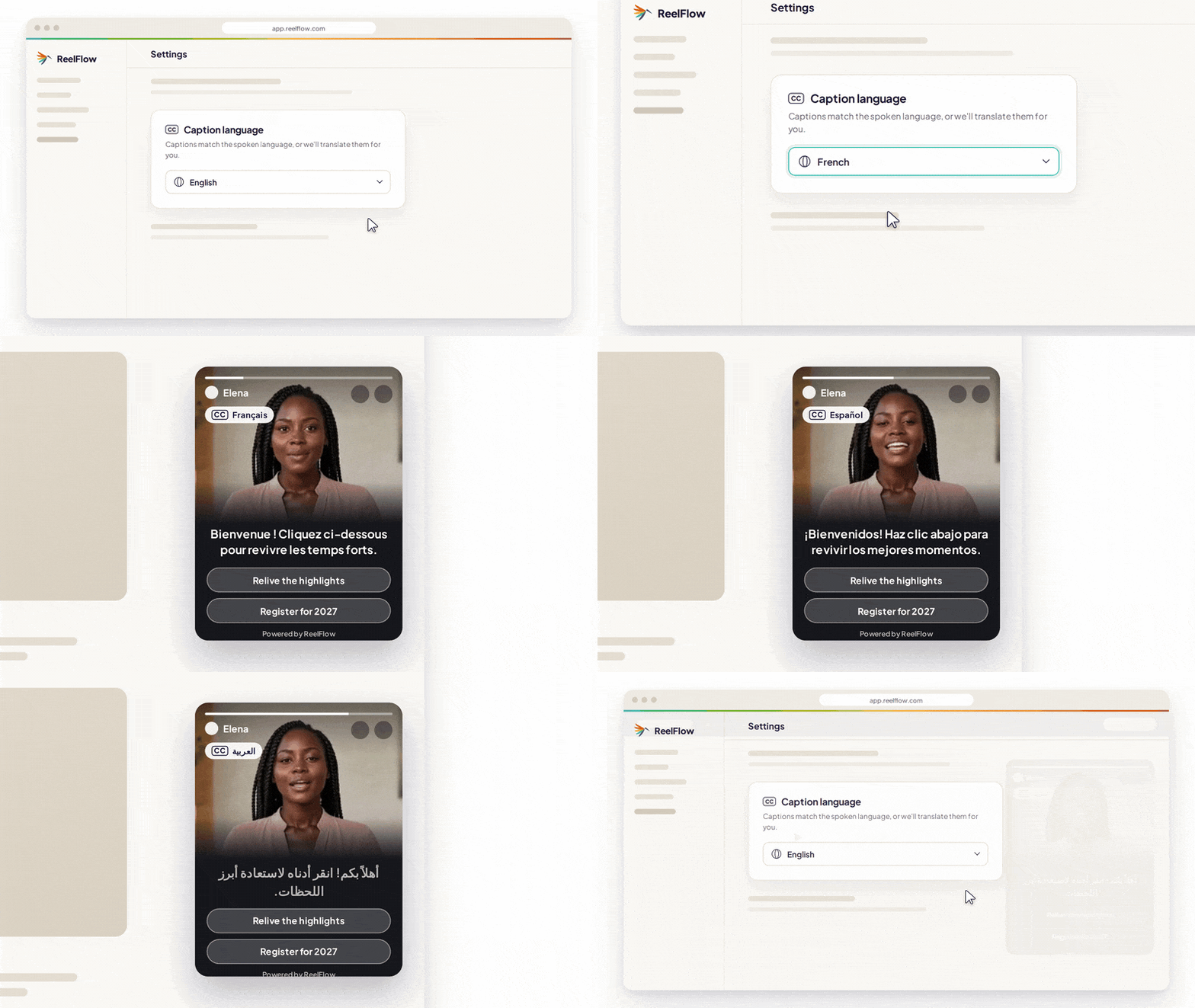
ReelFlow puts authentic human video at the heart of B2B websites and landing pages, turning static pages into guided journeys that segment and convert visitors through short, branching video flows.
Best for: B2B companies – event organisers, and founder-led or trust-dependent brands in particular – that want anonymous website visitors to guide themselves, build trust with real people, and arrive at the first conversation already sold.
Key features:
- Interactive, branching video flows built page by page
- Short-form human video (recorded, produced, or made with the AI Video Stand-In)
- Overlay and inline players, installed with a single line of code
- AI website analysis that finds where video should go across your site
- AI-assisted flow structures and draft scripts
- Behavioural analytics showing the paths and choices visitors make
- End-to-end workflow, from planning to publishing to tracking
- A full-service option covering planning, scripts, video and publishing
Key use cases:
- Homepage: Route different buyers to the content that fits them within seconds of arriving
- Product and pricing pages: Explain a complex offering and build confidence where buyers hesitate
- Campaign landing pages: Give paid and ABM traffic a guided experience rather than a wall of text
What sets it apart:
- Built for the website and the whole buyer journey, not the inbox or a single page
- Real people rather than synthetic avatars – with the AI Stand-In as an authentic, opt-in way to scale a real person's video, not replace them
- Covers the entire workflow, so a project does not stall on production
- Human video live in hours, not weeks
Pricing: Self-serve plans from £39 / $49 per month. Business plans from £299 / $399 per month, adding capacity, features and access to the service team. Free 14-day trial.
Pros:
- The only category built to guide the anonymous website visitor across multiple pages, rather than the inbox or a single page
- Real human video, with the AI Stand-In to scale a real person rather than replace them – so the trust signal stays intact
- Covers the whole job in one place (planning, creation, publishing, analytics), with an optional service team, so projects do not stall on production
- Installs with a single line of code, as overlay or inline, with no rebuild
- Behavioural analytics that show intent – which path and persona a visitor chose – not just plays
- Proven with event organisers, with named case studies (EasyFairs, Event Tech Live)
Cons:
- A young, focused company. It is smaller and less established than incumbents like Wistia or Vidyard, with a smaller base of third-party reviews to draw on
- No deep native CRM integration today. If you need bidirectional Salesforce or HubSpot syncing of engagement data, a messaging platform like Vidyard currently goes further
- It still needs real video. You or your team need some appetite to appear on camera, or to use the Stand-In – it is not a pure text-to-video shortcut
- The business tier, which includes services, starts above the entry price of a basic recorder or host. It reflects platform plus service, but it is a higher starting point than a $15 tool
- The wrong tool for several jobs. Internal screen recording, one-to-one sales outreach, e-commerce product pages and pure hosting are all better served elsewhere
- Interactive video on B2B websites is a newer approach, so there are fewer external benchmarks than for long-established categories
A note on fairness: unlike the competitors below, ReelFlow is young enough that it doesn't yet have a large third-party review base (G2, Capterra and the like). The pros and cons above are our own honest assessment rather than aggregated user reviews – and we have tried to hold ourselves to the same standard we apply to everyone else.
Lightweight and e-commerce interactive video
Best for retail and product-led teams adding clickable or shoppable video, usually to a single page.
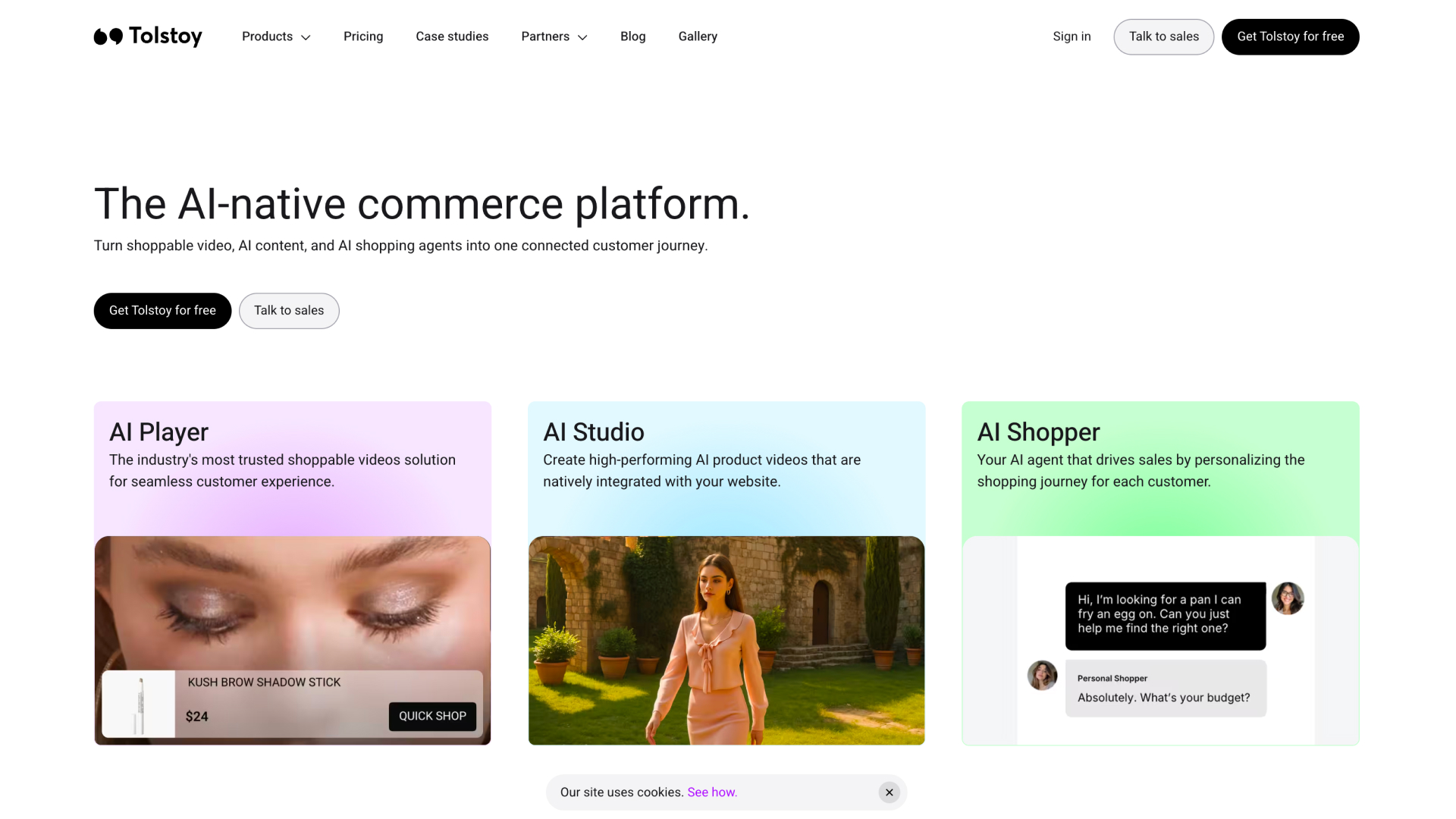
Tolstoy
Tolstoy started as a general interactive video tool and has since moved firmly towards e-commerce, positioning itself as an AI-native commerce platform for shoppable video.
Best for: Shopify and e-commerce brands adding shoppable, product-tagged video to product pages.
Key features: Shoppable video players, branching video, AI content creation, product tagging, video galleries and UGC, deep Shopify integration.
Key use cases: Shoppable product-page video, UGC reels, publishing to the Shop app and social channels.
What sets it apart: A genuinely deep Shopify integration and a low, simple barrier to entry – it is one of the easiest ways for a retailer to start with video commerce.
Pricing: Free plan for Shop app videos; paid plans from around $79 per month, with usage-based impression limits.
Reviews: 4.5+ on the Shopify App Store and Capterra, with several years of reviews from retail brands.
Pros (based on real user reviews):
- Reviewers repeatedly praise how easy it is to set up and use, especially on Shopify
- Support is a recurring positive – users describe it as fast, helpful and hands-on
- Long-standing retail users value the shoppable-video and UGC features on product pages
Cons (based on real user reviews):
- Multiple recent reviewers report confusing, disputed "billable impression" charges, with the vendor giving different definitions of what counts
- The product is now firmly retail-focused, which reviewers outside e-commerce find limiting
- Built to convert a shopper on a product page, not to guide a B2B buyer across a multi-page site
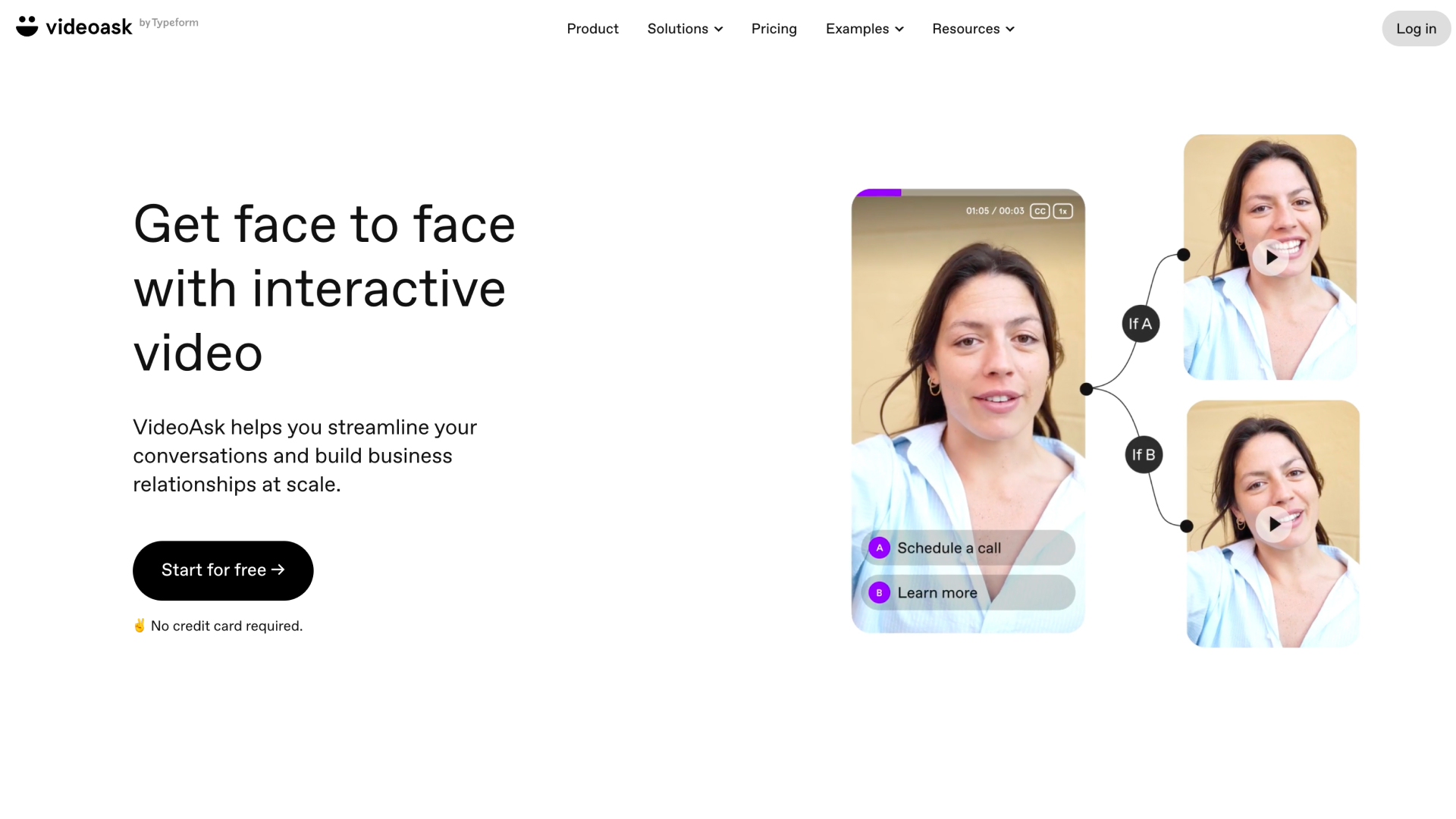
VideoAsk (by Typeform)
VideoAsk brings Typeform's design sensibility to video, focused on collecting responses rather than guiding a website visit.
Best for: Video forms, lead capture, asynchronous Q&A and recruitment screening.
Key features: Interactive video forms, branching logic, AI video chatbots, response management across video, audio and text, scheduling, integrations with HubSpot, Calendly and Zapier.
Key use cases: Lead qualification, onboarding, feedback collection, recruiting.
What sets it apart: Typeform's design pedigree – a polished, no-code builder that turns a form into a personal video conversation.
Pricing: Free tier; paid plans from roughly $24–30 per month, priced by minutes of video processed.
Reviews: Strong ratings on G2 and Capterra, with reviewers praising design and flagging cost.
Pros (based on real user reviews):
- Reviewers consistently highlight the clean, polished, easy-to-use interface (its Typeform heritage shows)
- Praised for personalisation and branching logic that make responses feel human
- Genuinely useful for turning forms into warmer, higher-converting conversations
Cons (based on real user reviews):
- Cost is the most common complaint – reviewers find it expensive, and the minute-based limits add up
- Some note the feature set can feel limited, and video size caps frustrate certain use cases
- It is a response and lead-capture tool, so it does not build a guided journey across a website
Video hosting and marketing platforms
Best for teams that need to store, manage and embed video content at quality, rather than build interaction.
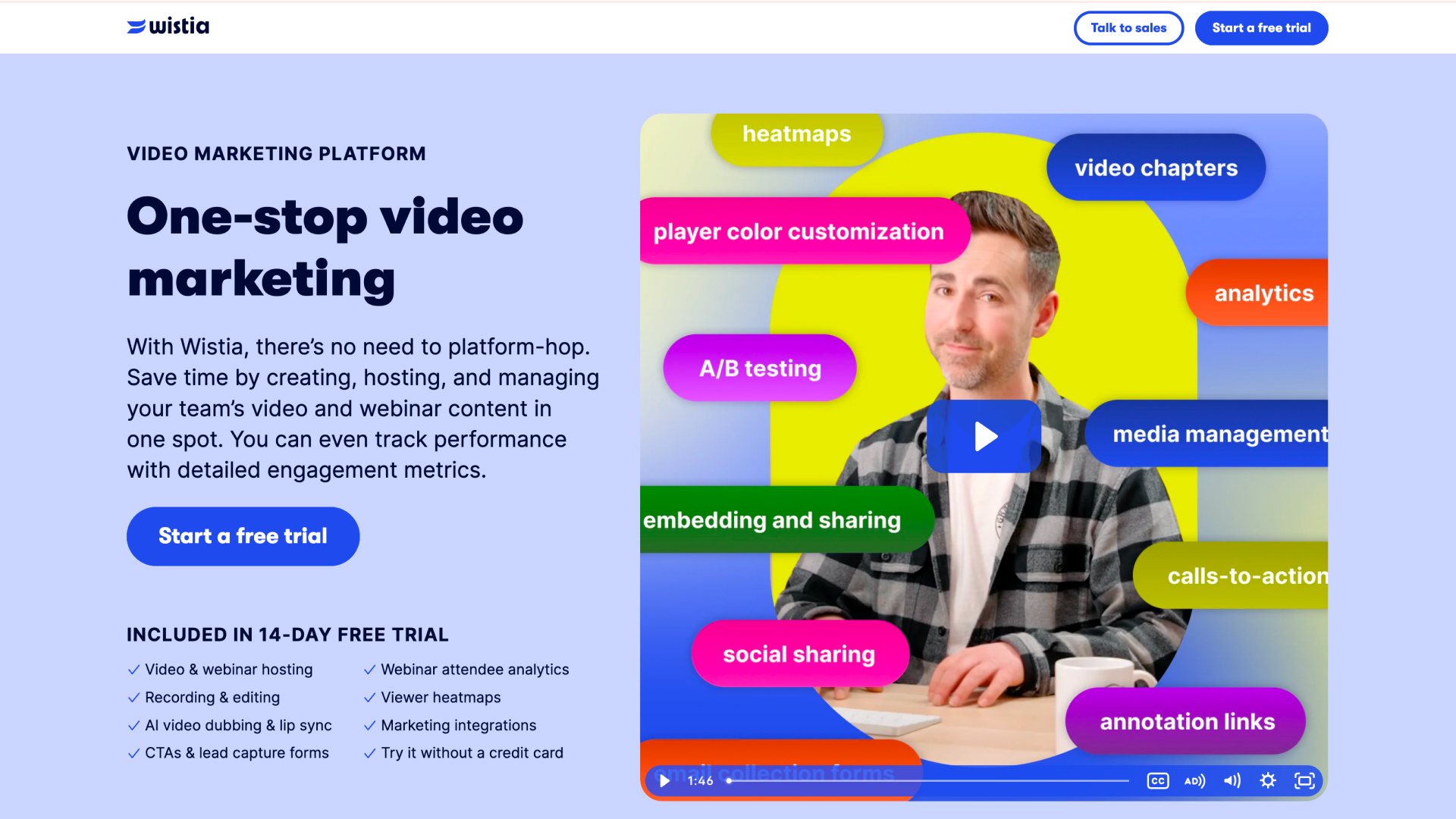
Wistia
Wistia is a well-established hosting and video marketing platform.
Best for: Marketing teams hosting branded video, running webinars, and doing video SEO and lead capture.
Key features: High-quality hosting, branded players, webinar hosting, lead capture forms, video SEO tools, a large integration library, marketing analytics.
Key use cases: Marketing video libraries, webinars, embedding branded video across the site.
What sets it apart: Strong marketing analytics and lead generation, plus a mature product and a large integration ecosystem built up over many years.
Pricing: Free tier; paid plans from around $19 per month (higher tiers and add-ons such as webinars and CRM automation cost more).
Reviews: 4.6/5 on G2 (1,000+ reviews) and 4.7/5 on Capterra – one of the most reviewed tools here.
Pros (based on real user reviews):
- Ease of use and analytics are the most-cited strengths – heatmaps, drop-off and engagement data marketers genuinely act on
- Turnstile lead capture and the branded, lightweight player are frequently praised
- Reviewers value the HubSpot integration and keeping viewers on their own site rather than YouTube
Cons (based on real user reviews):
- Pricing is the single most common complaint – costs climb quickly with add-ons, extra seats and bandwidth
- Key features (webinars, CRM automation) sit behind higher tiers, which reviewers find adds up
- Some report slower load times than YouTube or Vimeo, and little in the way of branching interactivity
Vimeo
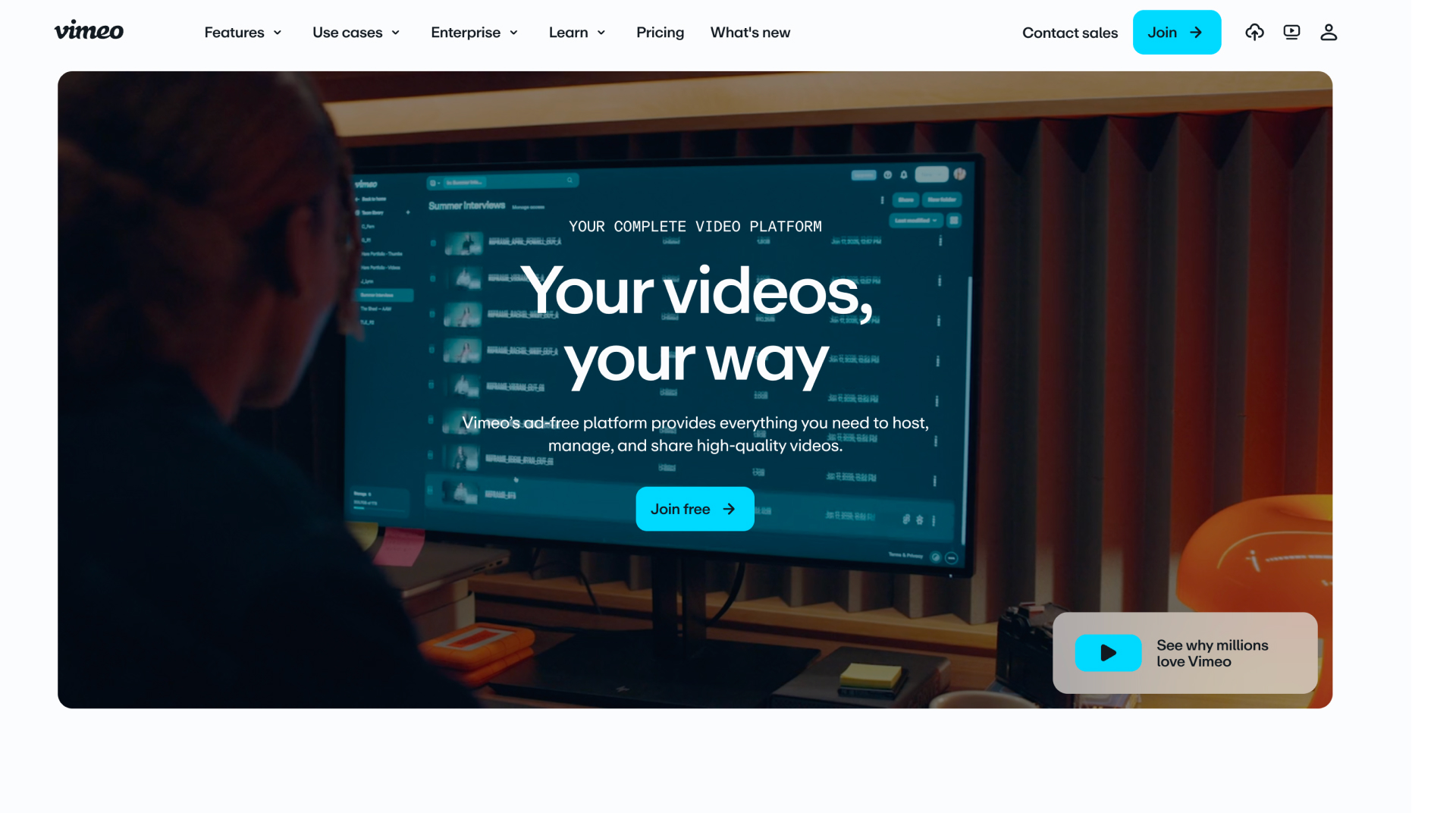
Vimeo is a video hosting, sharing and services provider.
Best for: Marketing teams needing professional hosting and brand control.
Key features: High-quality hosting, live streaming, privacy controls, embedded players, basic creation and editing tools.
Key use cases: Hosting marketing content, livestreaming events, brand video.
What sets it apart: Premium hosting quality and strong brand presentation.
Pricing: Paid plans from around $12 per month.
Reviews: Solid ratings on G2 and Capterra, with ease of use and video quality the top-cited strengths.
Pros (based on real user reviews):
- Reviewers praise the high-quality, ad-free playback and clean, professional player
- Strong privacy controls and easy website embedding are recurring positives
- Straightforward to use for hosting, branding and sharing video
Cons (based on real user reviews):
- Cost is the main complaint – reviewers find it expensive, with advanced features and storage gated to higher tiers
- Smaller reach than YouTube, and some report buffering on lower-bandwidth connections
- Hosting-first: reviewers who want deeper interactivity or on-site guidance look elsewhere
Vidyard
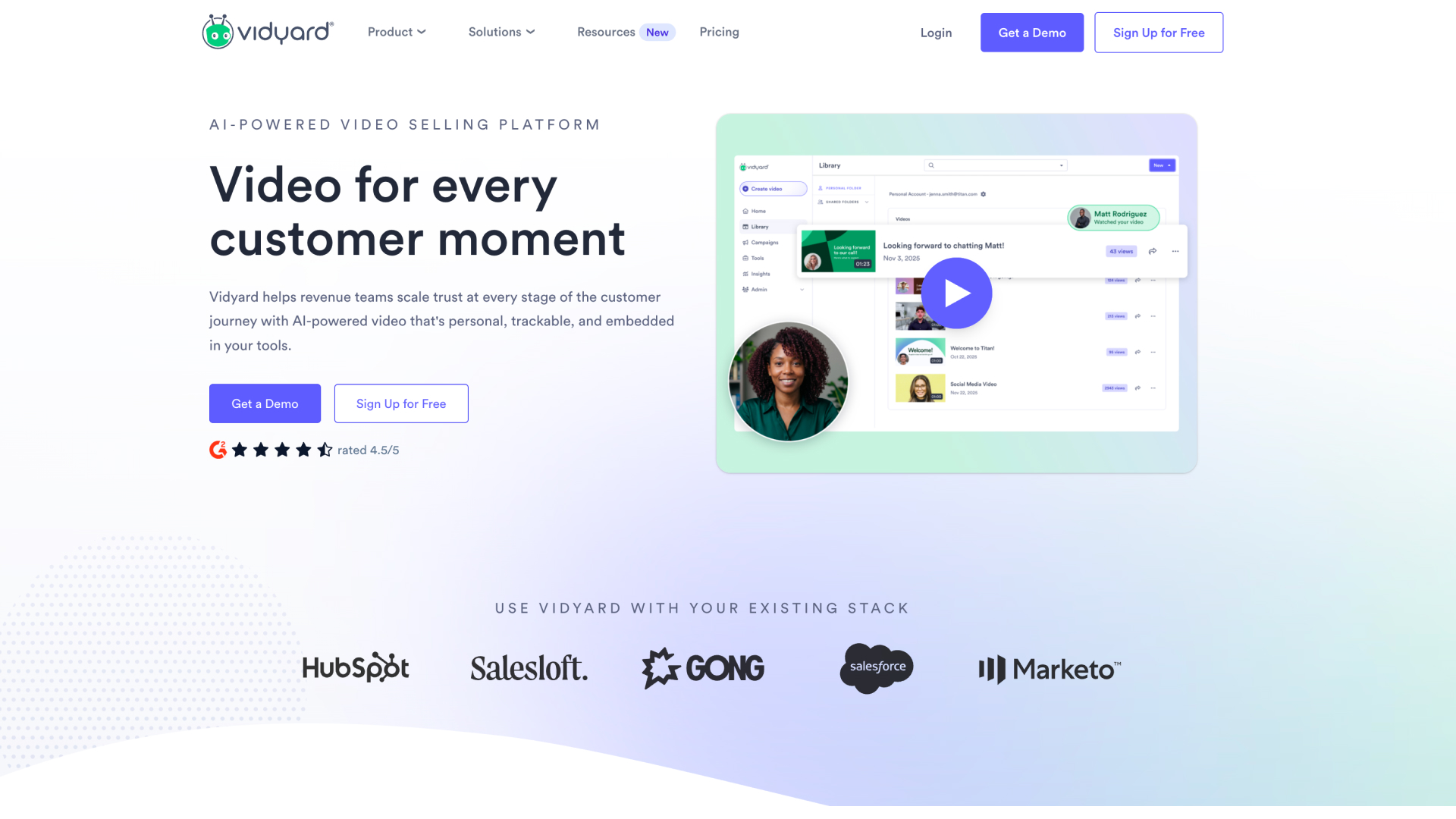
Vidyard is an AI-powered video platform built for revenue teams, centred on one-to-one video messaging, hosting and CRM workflows.
Best for: Sales, marketing and customer success teams sending personalised video through the inbox, with deep CRM integration.
Key features: Video messaging, hosting, AI avatars, Video Agent for automated follow-ups, native HubSpot and Salesforce integration, real-time analytics, a Chrome extension.
Key use cases: Prospecting, deal follow-ups, ABM outreach, onboarding and renewals.
What sets it apart: Deep, bidirectional CRM integration and automation for revenue teams, backed by a very large customer base and a mature product.
Pricing: Free tier; paid plans from around $59 per seat per month (Starter), with Teams typically quoted around $99 per user per month.
Reviews: 4.5/5 on G2 (800+ reviews), 4.5/5 on Capterra, 8.2/10 on TrustRadius.
Pros (based on real user reviews):
- Ease of use is the top-cited strength – the Chrome extension records and shares in under 30 seconds
- Reviewers value the engagement tracking (who watched, how long) as a real buying signal
- The native CRM and sales-tool integrations are widely praised, as is customer support
Cons (based on real user reviews):
- Limited in-app editing is a recurring frustration – some teams stop recording because of it
- Reviewers report Chrome-extension bugs, crashes and playback issues, and a less-polished mobile app
- Per-seat pricing is a common complaint, and CRM plus advanced analytics sit behind higher tiers
Loom
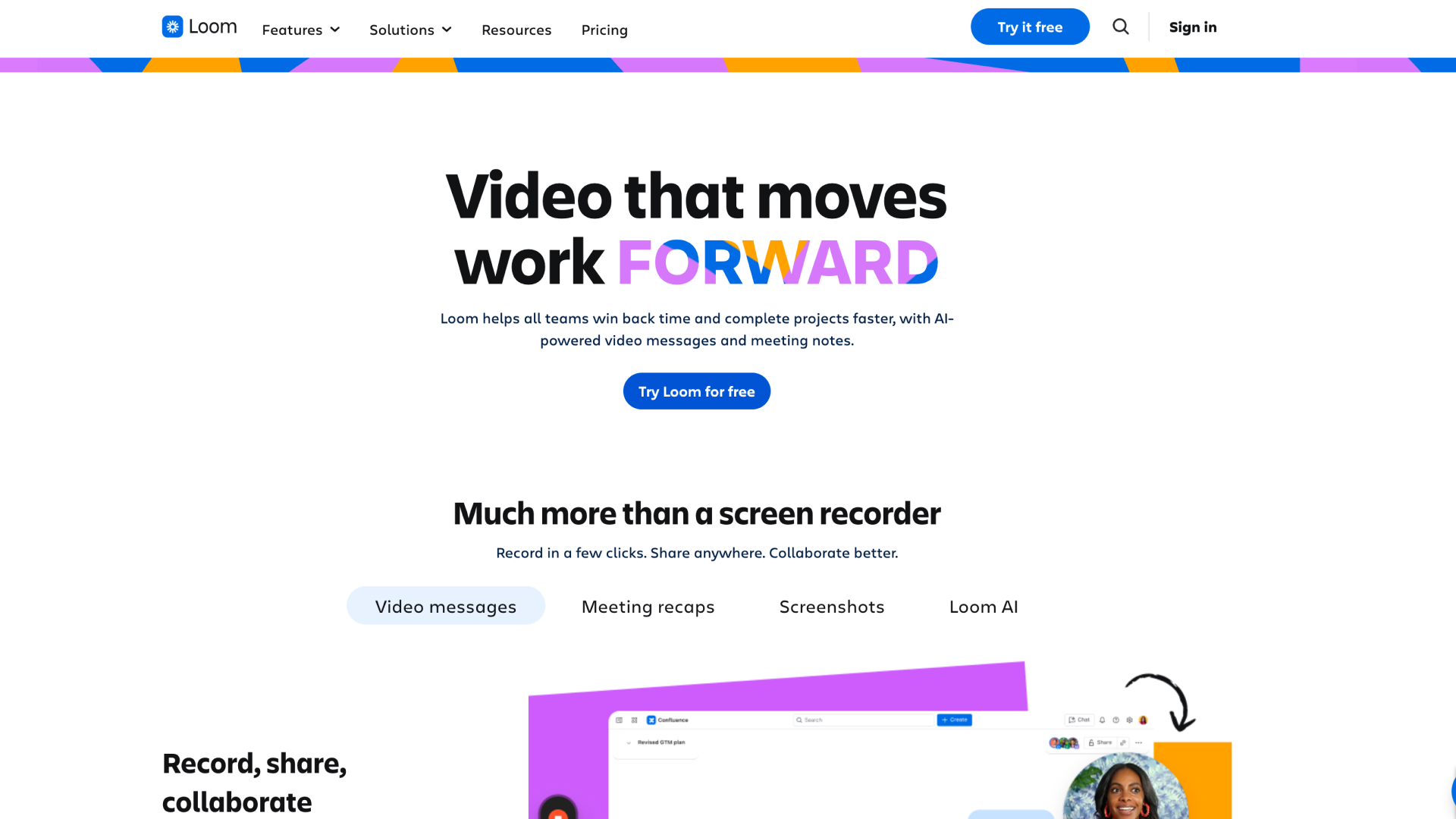
Loom, now owned by Atlassian, is a screen recording tool for quick internal video.
Best for: Internal team communication and asynchronous collaboration.
Key features: Quick screen and selfie recording, team libraries, basic video messaging, wide integrations beyond sales and marketing.
Key use cases: Internal updates, meeting follow-ups, team training.
What sets it apart: Fast, frictionless recording and near-ubiquitous adoption for internal video.
Pricing: Free Chrome extension; paid plans from around $15 per user per month.
Reviews: 4.7/5 on G2 (2,000+ reviews), though notably lower on Trustpilot, largely over billing and support.
Pros (based on real user reviews):
- Ease of use is by far the most-cited strength – record and share in seconds, the fastest in its class
- Reviewers value the viewer analytics, searchable transcripts and AI summaries
- Strong integrations (Slack, Notion, Figma, Chrome) fit it into existing workflows
Cons (based on real user reviews):
- "Recording issues" – crashes, frozen recordings and failed uploads – is the single most-cited complaint on G2
- Editing is basic (a mistake mid-recording means starting again), and the free tier is tightly capped
- Since the Atlassian move, reviewers report surprise billing changes; and it is an internal tool, not buyer-facing
AI avatar and synthetic video generators
Best for producing video content at volume using stock or cloned avatars. Useful for creation, but they do not touch what happens on your website.
Synthesia
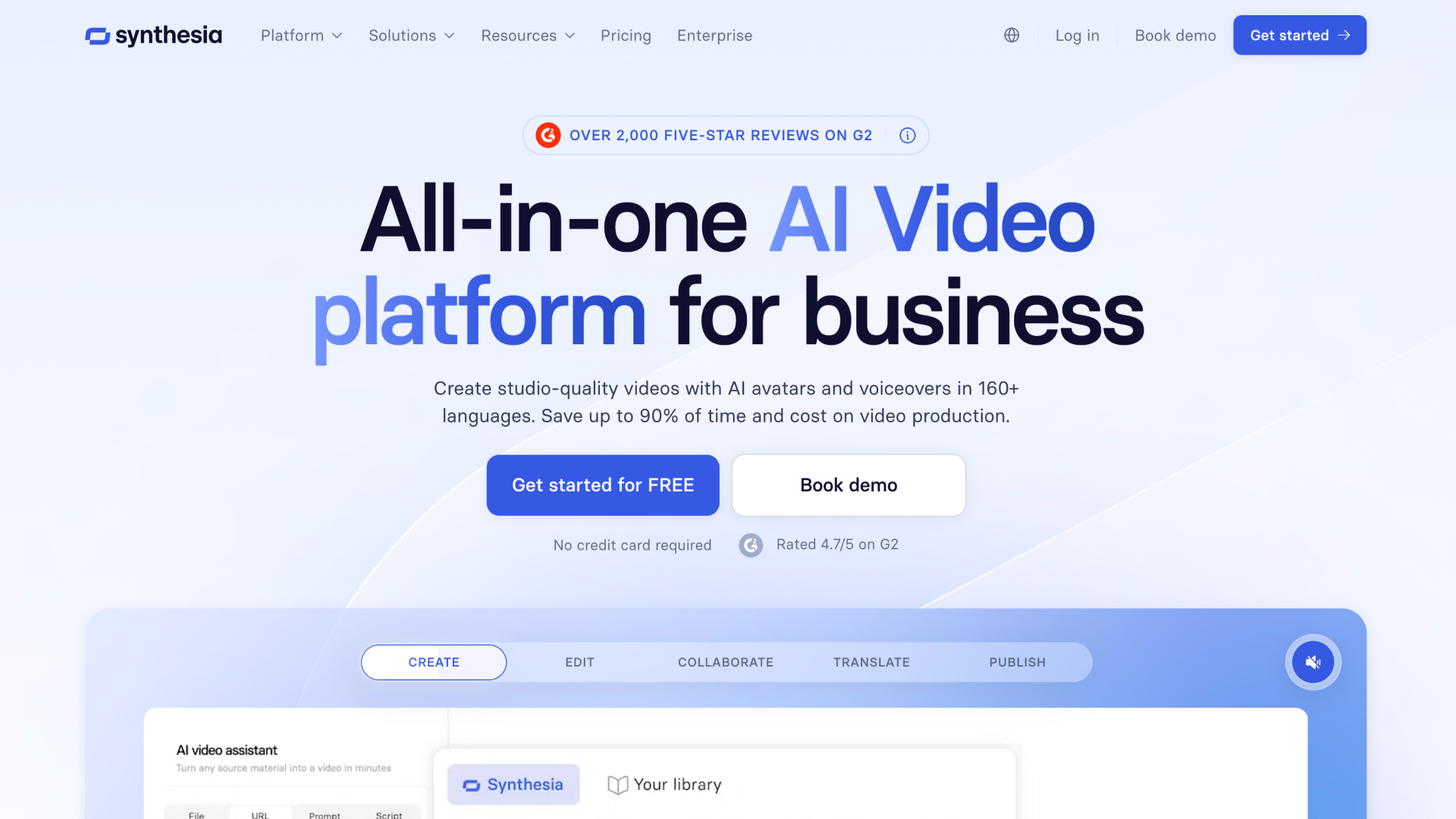
Best for: Training, learning and development, and explainer content at scale, in many languages.
Key features: AI avatars, text-to-video, branded templates, 140+ language support.
Key use cases: Onboarding, training, internal communications, localised content.
What sets it apart: Enterprise-grade AI video creation and an unmatched range of languages.
Pricing: Free tier; paid plans from around $18 per month (custom avatars cost extra).
Reviews: 4.7/5 on G2 and around 4.0/5 on Trustpilot (1,700+ reviews).
Pros (based on real user reviews):
- Ease of use, quality and realistic avatars are the most-cited strengths – script to video in minutes
- Reviewers value the speed and cost saving versus traditional production, and the language range
- Strong for training, onboarding and explainer content, with good support and templates
Cons (based on real user reviews):
- The most telling for a website: reviewers repeatedly say avatars can feel "creepy" or robotic and lack emotion, which undermines trust for customer-facing and persuasion content
- Editing, customisation and avatar range are limited, and voices can sound off on longer narration
- Content-moderation delays and minutes-based costs are common complaints; custom avatars are a paid extra
HeyGen
Best for: Marketing teams generating AI-avatar video content at scale.
Key features: Realistic AI avatars, script-to-video, multi-language support, interactive avatars that can respond in real time.
Key use cases: Video ads, social content, e-learning, product explainers.
What sets it apart: Among the most life-like AI avatars available.
Pricing: Free tier; paid plans from around $29 per month, on a credit system.
Reviews: 4.8/5 on G2 (1,400+ reviews) but around 2.4/5 on Trustpilot – a split driven by billing and support.
Pros (based on real user reviews):
- Ease of use and avatar quality are the top-cited strengths – among the most realistic avatars available
- Reviewers value the speed, the 175+ language translation, and the cost saving versus filming
- Well suited to marketing, social and explainer content, and to personalising at volume
Cons (based on real user reviews):
- Reviewers say avatars still feel stiff on emotion – fine for corporate content, weak for persuasion or storytelling
- The credit model draws heavy criticism for unpredictable costs ("unlimited" often isn't), and support and moderation are common Trustpilot complaints
- Like the others here, it creates content but does nothing about the journey on your website
The status quo: chatbots and "do nothing"
It is worth naming the two options every team is really choosing against. The first is a chatbot (Drift, Intercom and the like), which interrupts the visitor and waits for them to type a question. The second is doing nothing – leaving a static, text-heavy page to fend for itself. Both are built for the small share of visitors ready to act now, and both leave the researching majority to read, guess, and often leave. Interactive video exists to serve that majority instead.
Building an interactive video strategy for your website
Choosing a tool is the easy part. Getting value from it comes down to where you start, how you use it, and what you measure.
Start with your highest-intent pages
Video has near-endless potential uses, which is exactly why teams stall. Pick one or two pages where a better experience would move real numbers – usually the homepage, a key product or pricing page, or a campaign landing page taking paid traffic. Prove the point there, then expand.
Use flows to route different buyers
The mistake is treating video as one message for everyone. The advantage of a branching flow is that it can ask, in effect, "who are you and what are you here for?" and send each visitor down a path that fits. A first-time researcher, a returning buyer and a partner all get a different journey from the same page.
Keep it human
Lead with real people. The whole reason interactive video works is that a face builds trust a paragraph cannot. Use your actual team, your founders, your customers. Where you need to scale a person's presence across many pages or keep it current, an AI stand-in trained on a real person keeps the human signal intact – which is very different from a stock avatar.
Measure engagement depth, then conversion
Start by watching engagement behaviour – how far visitors get, which paths they choose, where they drop – because that tells you whether the experience is working and what to fix. Then tie it back to the actions that matter: sign-ups, enquiries, registrations, demos. Engagement depth is the leading indicator; conversion is the result.
What makes ReelFlow different
There are plenty of video tools. Most were built for a different job. Here is where ReelFlow is not like the others.
Built for the website, not the inbox
Messaging platforms help a rep send one video to one buyer. ReelFlow is built for the opposite problem: the anonymous visitor on your website who will never fill in a form until they trust you. It guides that visitor through a journey they control, across every page that matters.
Real people, not synthetic avatars
People buy from people. ReelFlow puts your real team, founders and customers at the centre of the experience – and where you need to scale that, the AI Video Stand-In lets a real person generate new video without going back on camera. It is proof you can be pro-authenticity without being anti-AI.
End to end, from planning to analytics
The reason website video usually fails is that no single tool owns the whole job. ReelFlow covers planning, creation, interactive flows, publishing and analytics in one place – with a service team available to do the heavy lifting alongside you. Nothing stalls between "good idea" and "live on the site".
Hours, not weeks
Getting human video onto a website used to mean an agency, a shoot and a long wait. AI website analysis, AI-assisted scripting, the AI Stand-In and one-line publishing bring that down to hours – which matters when your website needs to keep pace with your business.
Choosing the right approach for your team
A quick guide to where each option fits:
- If you need internal async video and screen recording → Loom
- If you need to host and manage marketing video → Wistia (or Vidyard for hosting plus messaging)
- If you need one-to-one video for sales outreach in the inbox → Vidyard
- If you need AI-generated presenters for training or explainers at scale → Synthesia or HeyGen
- If you sell physical products and want shoppable video → Tolstoy
- If you need video forms and lead capture → VideoAsk
- If you want your B2B website to guide buyers through a self-directed, human-led journey → ReelFlow
Video is no longer optional on a B2B website. But the tool you choose should match the job. If that job is helping anonymous researchers guide themselves, build trust with your real people, and arrive ready to talk, that is the problem ReelFlow was built to solve.
If you want to see how it fits your website, you can book a demo or start a free 14-day trial and explore it yourself.
FAQs
What is the difference between interactive video and video hosting?
Video hosting stores, manages and embeds your video content – it is about presentation and organisation. Interactive video lets the visitor make choices inside the player, guiding themselves down a path that fits them. Hosting shows a video; interactive video runs a journey.
Do we need to rebuild our website to use interactive video?
No. A purpose-built platform installs with a single line of code and works over your existing site, as either an overlay that appears over the page or an inline player within it. There is no rebuild and no dependency on a web agency.
Isn't AI-generated video enough now?
AI generators are good at producing content quickly, but they do not build the journey on your website, and fully synthetic presenters can undercut the trust that video is there to create. The stronger approach is real human video, with AI used to scale a real person rather than replace them.
How do we measure whether interactive video is working?
Start with engagement behaviour – how far visitors progress, which paths they choose, where they drop off – because that shows whether the experience is landing. Then connect it to the actions that matter to you, such as sign-ups, enquiries or registrations.
How is this different from a chatbot?
A chatbot interrupts and waits for the visitor to type a question. Interactive video guides – it meets the visitor with a real person and a clear path, and lets them explore on their own terms. That is a very different experience, and buyers tend to engage with it far more readily.
What if we don't have time to make the video ourselves?
You have options: record it yourself, use the AI Video Stand-In to generate video from a real person, or work with a service team that handles planning, scripting, production and publishing alongside you. The point is that a lack of filming time should not be what stops a project.