

Better for your visitors
Multilingual Captions are live
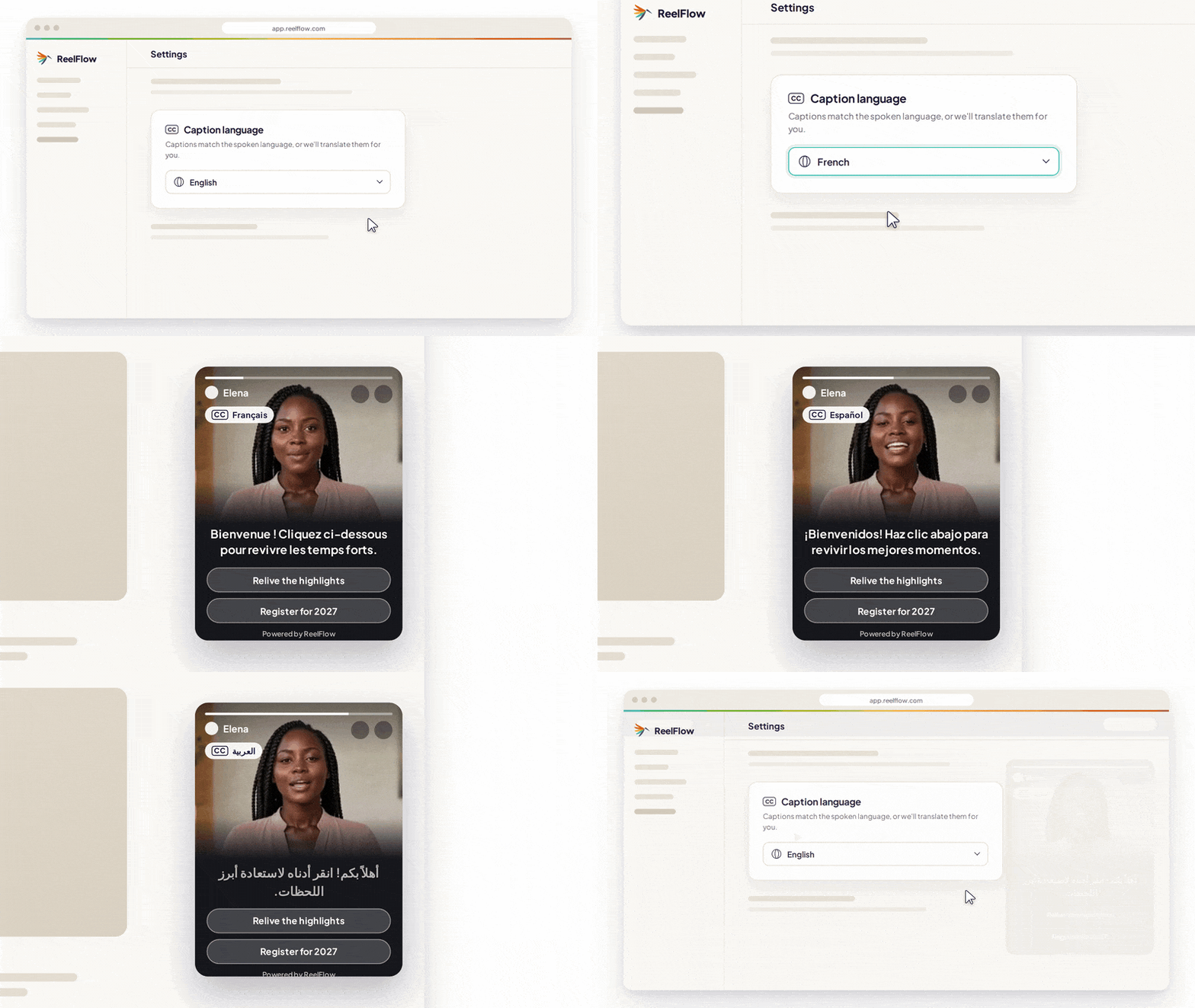
Captions can now be transcribed or translated into any one of 27 languages, including English, German, French and Arabic.
If your website has aan international audience, this is a big one. Visitors can watch your team speak in their own language without you having to re-record anything or brief a translator.
Videos auto-rewind on unmute
We've listened to your feedback on sound. Videos now auto-rewind a few seconds when a visitor unmutes, so nobody misses the opening of what your team has to say.
Customizable Player styling
You can now set Player colours, button styles and other visual settings to match your brand. Your videos should feel like part of your website, not something bolted onto it, and this makes that much easier to achieve.
Salesforce Chat integration
If your team uses Salesforce Chat, you can now connect it to one of your Player buttons. Visitors can go straight from watching your team to speaking with them.
For sales teams, this closes the gap between interest and conversation. A visitor who has just watched your sales manager explain packages can start a chat there and then, rather than hunting for a contact form.
Open the Player from any button or link
You can now open and close the Player from any button or link on your site, so a "Contact us" or "Book a stand" button can bring up a video from your team.
Easier for your team
Edit videos without leaving ReelFlow
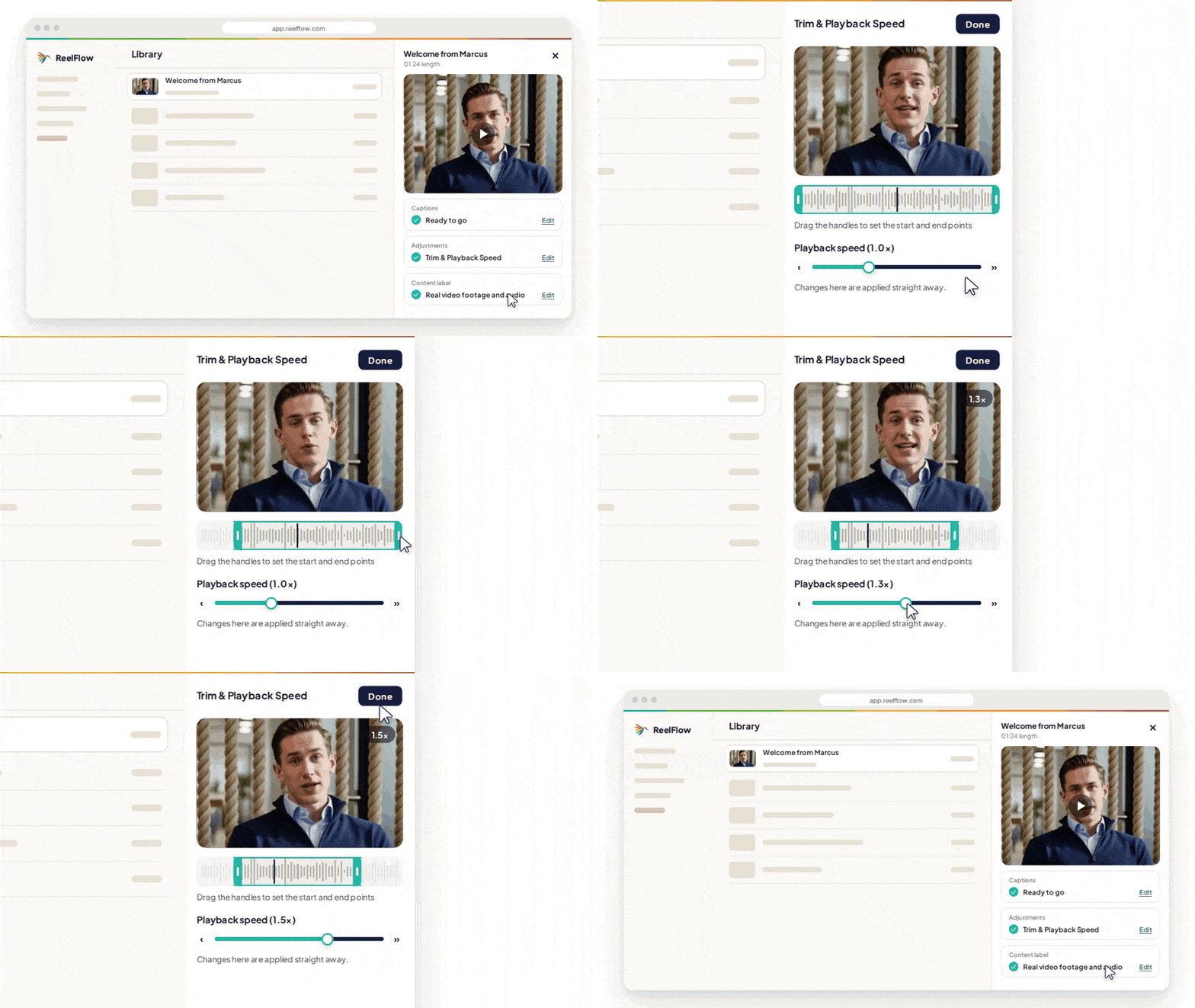
You can now trim videos and adjust playback speed inside ReelFlow. If an intro runs long or a clip feels slow, you can tidy it up in a couple of clicks instead of going back to your editing software and re-uploading.
A clearer view of engagement
On the Performance screen, you'll now find a new Visitor Interaction rate. It gives you a clearer read on how many people are actually engaging with your video, not just seeing it – so you can tell which Flows are genuinely pulling their weight and which need a rethink.
Keep your Workspace tidy and your changes safe
A few updates make managing Flows simpler, especially if several people work in the same Workspace:
Archive and unarchive Flows.
Keep your Workspace organised by archiving Flows you're not using, without deleting any of your work. Bring them back whenever you need them.
Spot unpublished changes.
A blue dot now flags any Flow that has been edited but not yet published, so edits can no longer sit unnoticed.
Simulated Previews.
Check how a Flow will look and behave before it goes live on your site, so you can publish with confidence.
Tell us what you think
We'd love to hear how you're putting these updates to use, and what you'd like to see next. Get in touch at product.feedback@reelflow.com – we read every message.